How it Works for Game Masters
Get started with RPG Desk in minutes. Whether you're a Game Master or a Player, we've got everything you need to create and join amazing tabletop RPG campaigns.
For Game Masters
Creating a Campaign
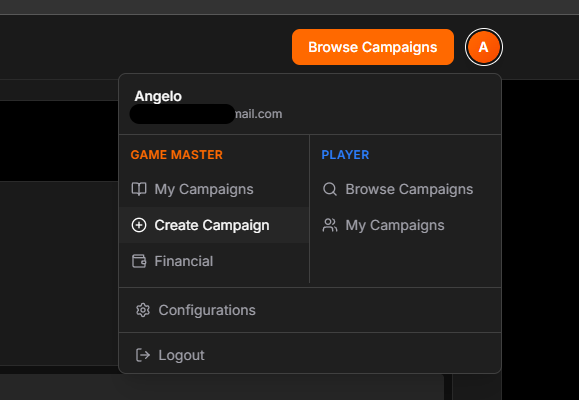
Start by clicking "Create Campaign" from your dashboard or the homepage. Fill in your campaign details:
- Title & Description: Describe your campaign world and story
- System & Settings: Choose your RPG system and campaign type
- Cover Image: Upload an eye-catching cover (up to 10MB)
- Visibility: Make it public or keep it private
Scheduling Sessions
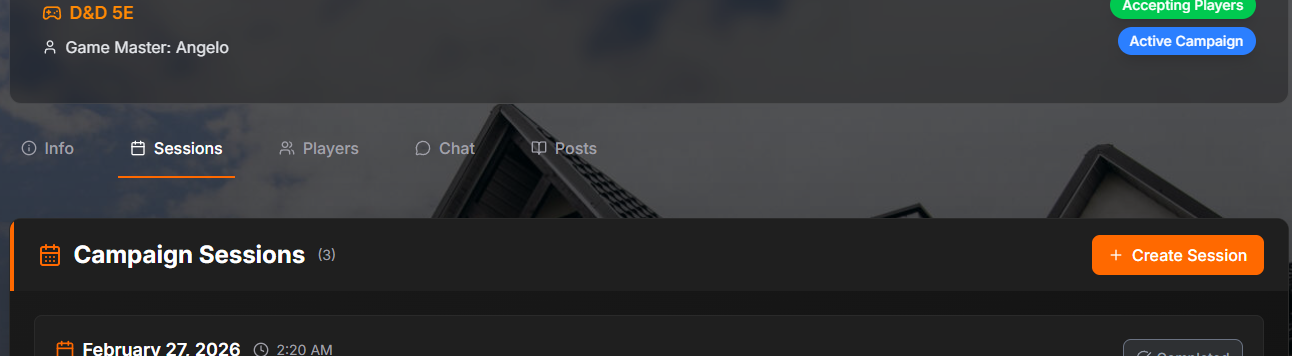
Once your campaign is live, you can schedule sessions. When creating a session:
- Set the date, time, and duration
- Specify minimum players required
- Add an optional chapter/session name
- All times display in each player's timezone automatically
Managing Players
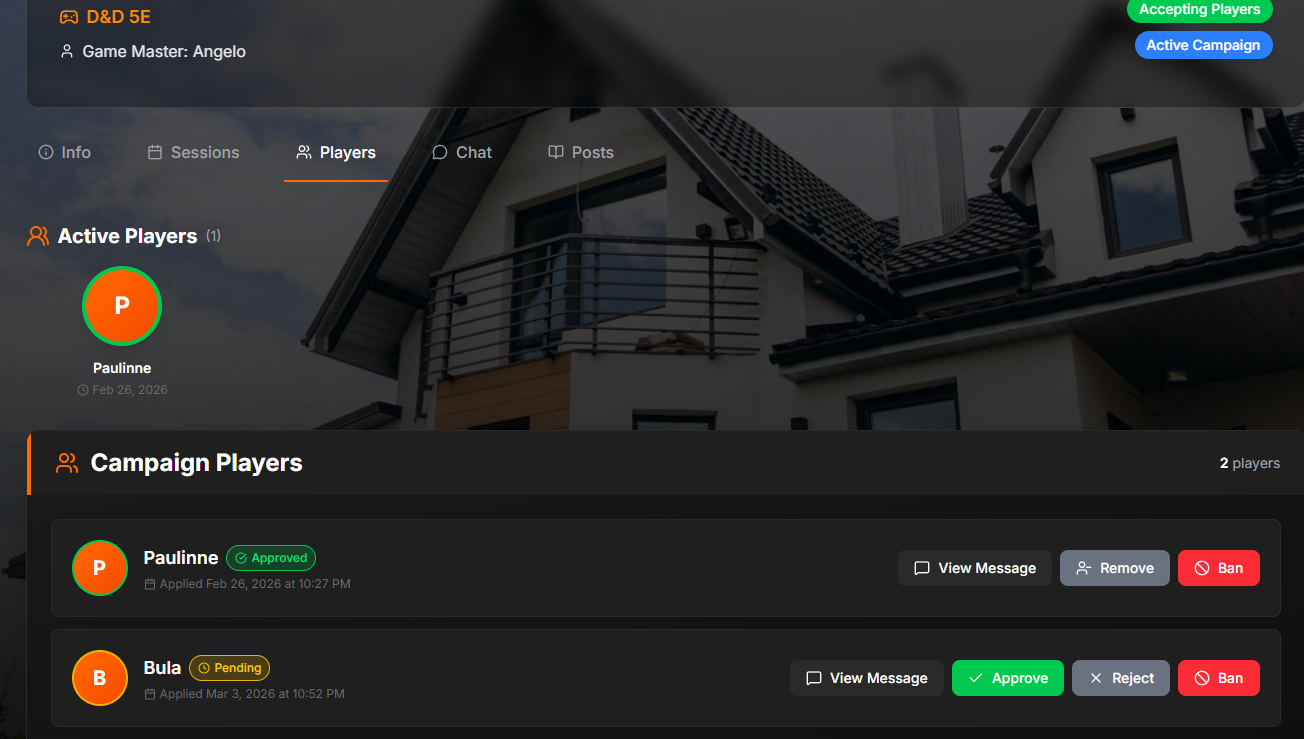
Review and manage player applications from the Players tab:
- Approve: Accept players into your campaign
- Reject: Decline applications
- Remove/Ban: Manage existing players
Sharing Your Campaign

Even if your campaign is private, you can share a special link that allows anyone with it to view your campaign. Perfect for:
- Sharing with friends before making it public
- Previewing campaign details with potential players
- You can refresh the link anytime to invalidate old links
Session Payments
Monetize your sessions with Stripe Connect. Set an optional price per session and receive payouts to your account.
- Stripe Connect for secure payouts
- Optional price per session per campaign
- 10% platform fee
- Financial overview and payment status in your dashboard
- Mark as paid for free when not using Stripe
Connect your Stripe account to receive payments from players Connect it from your Configurations.
For Game Masters
- Set realistic minimum player requirements to avoid cancellations
- Schedule sessions well in advance so players can plan accordingly
- Use the share link feature to preview campaigns with select people
- Keep your campaign description detailed and engaging